- Google Ads & PPC
Google Ads Conversion Tracking with GA4: Set It Up Right
Set up Google Ads conversion tracking with GA4: the Google tag, key events, enhanced conversions, Consent Mode, call and WhatsApp tracking, and testing.
 AuthorRehmat Ullah8 min read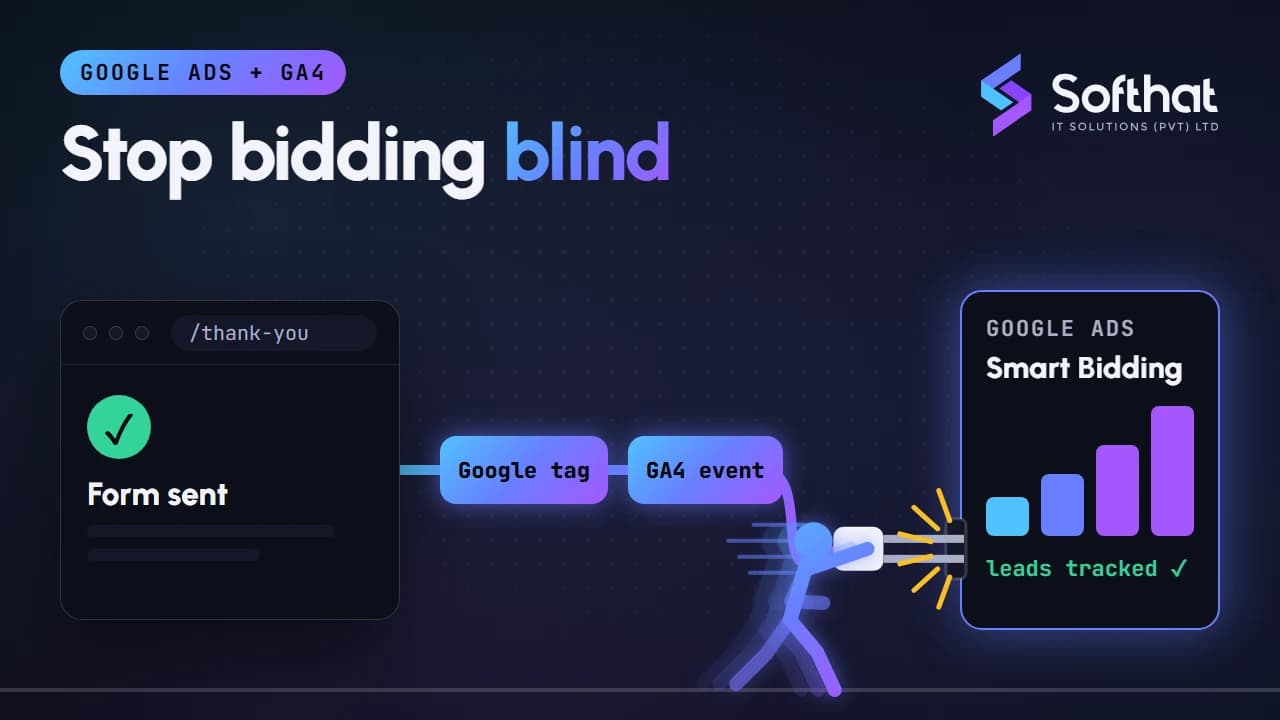
Table of Contents
If your Google Ads account cannot see which clicks turn into leads or sales, it is bidding blind. Smart Bidding strategies such as Maximize conversions and Target CPA only work as well as the conversion data you feed them.
Broken tracking is easy to miss. Forms counted twice, WhatsApp clicks not tracked at all, or a "page view" marked as a conversion can all quietly push bidding in the wrong direction.
This guide explains how Google Ads conversion tracking works with GA4 (Google Analytics 4) in late 2026, which setup to choose, and how to test it properly before you spend another rupee.
How conversion tracking fits together
A few terms have changed in the last two years, so let us get them straight first.
- Google tag (gtag.js): one tag that sends data to Google Ads and GA4. You add it to every page, directly or through Google Tag Manager.
- Event: anything GA4 records, such as a page view, a form submission or a click.
- Key event: an event you mark as important in GA4. Google renamed GA4 "conversions" to key events so the two products use consistent language. See conversions vs key events.
- Conversion: in Google Ads, an action you use to measure campaign performance and optimize bidding.
In short, the flow is event, then key event in GA4, then conversion in Google Ads.
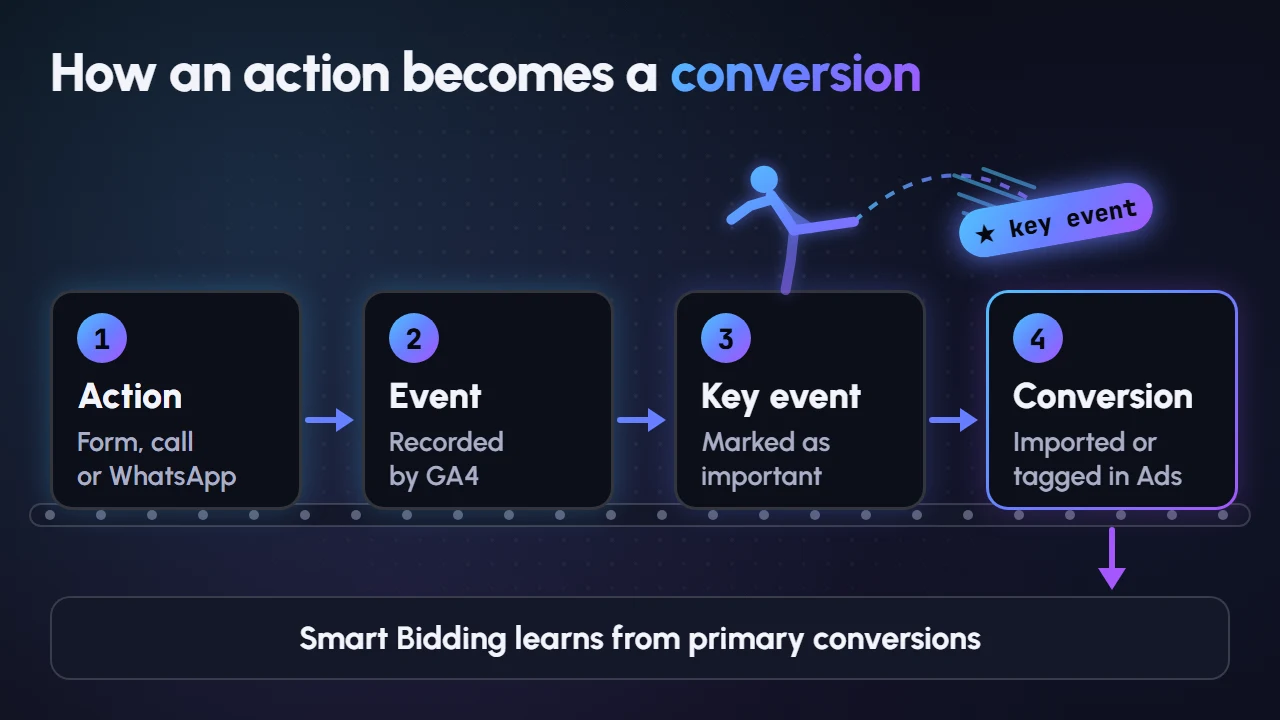
Option 1 vs option 2: Google Ads tag or imported GA4 key events
You can create Google Ads conversions in two main ways.
Option 1: Google Ads conversion tracking tag
You create a conversion action in Google Ads and fire its event snippet (or a Google Ads Conversion Tracking tag in Tag Manager) when the action happens.
- Data goes straight to Google Ads.
- Works well with enhanced conversions.
- Usually the more direct choice when bidding performance is the priority.
Option 2: Import GA4 key events
You mark the event as a key event in GA4, link GA4 and Google Ads, then import the key event into Google Ads.
- One setup serves both analytics and ads reporting.
- You need at least Marketer access and auto-tagging turned on, according to Google Ads Help.
- Google notes it can take up to 24 hours before imported data appears, and data from before the import is not included.
Which should you choose?
| Situation | Our usual recommendation |
|---|---|
| Small business, one website, few conversions | Import GA4 key events, keep it simple |
| Ads are a major spend and bidding accuracy matters | Google Ads tag with enhanced conversions |
| Ecommerce with purchase values | Google Ads tag for purchases, GA4 for analysis |
| Many micro-actions (scrolls, video views) | Keep them in GA4 only, do not use them for bidding |
Whichever you choose, avoid counting the same action twice for bidding.
Primary vs secondary conversions: avoid double counting
Google Ads splits conversion actions into two groups, as explained in About primary and secondary conversion actions:
- Primary actions appear in the Conversions column and are used for bidding.
- Secondary actions are for observation. They appear in the All conversions column but are not used for bidding.
If you track a lead form with both a Google Ads tag and an imported GA4 key event, set only one as primary. Otherwise Smart Bidding sees two conversions for every lead and optimizes towards the wrong numbers.
A simple rule: primary actions should be things that make you money, such as purchases, qualified form submissions, calls and WhatsApp chats. Everything else is secondary or stays in GA4.
Step-by-step setup with Google Tag Manager
Here is the process we follow for most lead generation websites.
- Plan your conversions. List the actions that matter: form submit, phone click, WhatsApp click, purchase. Give each a value if you can estimate one.
- Install Google Tag Manager on every page and add a Google tag with your GA4 measurement ID.
- Link Google Ads and GA4 in GA4 Admin, and confirm auto-tagging is on in Google Ads.
- Track form submissions with a trigger on the thank-you page or a form success event. Avoid triggering on button clicks, which also fire when the form has errors.
- Create the conversion action in Google Ads (Goals, then Conversions) or mark the GA4 event as a key event and import it.
- Add the Conversion Linker tag in Tag Manager if you use Google Ads tags there.
- Set counting options. For leads, count "One" conversion per click. For purchases, count "Every".
- Test everything with Tag Assistant before publishing (see below).
Track calls and WhatsApp clicks
For many Pakistani businesses, the phone and WhatsApp bring in more leads than forms. If you do not track them, Google Ads undervalues your campaigns.
Phone calls
Google Ads offers several phone call conversion types. The important detail for Pakistan: tracking calls from ads and calls to a number on your website requires Google forwarding numbers, and Pakistan is not currently on Google's list of countries where forwarding numbers are available.
That leaves two practical options for Pakistani advertisers:
- Clicks on call ads and assets: counts taps on your call button in the ad.
- Clicks on a number on your mobile website: counts taps on your
tel:link after someone arrives from an ad.
These measure call intent, not completed calls. Ask your team to log which calls were genuine enquiries so you can sanity-check the numbers.
WhatsApp clicks
There is no automatic WhatsApp conversion on your website, but it is easy to set up:
- In Tag Manager, enable the built-in Click URL variable.
- Create a Just Links click trigger where Click URL contains
wa.meorapi.whatsapp.com. - Fire a GA4 event such as
whatsapp_clickand, if you use Google Ads tags, a Google Ads conversion tag on the same trigger. - Mark the GA4 event as a key event. Then choose either the imported key event or the Google Ads tag as the primary action for bidding, and keep the other as secondary.
Google's guide on tracking clicks as conversions shows the same idea without Tag Manager. Google Ads also offers message assets that let people start a WhatsApp chat straight from an ad; Google describes them as a beta feature with eligibility limits.
Enhanced conversions: better accuracy with first-party data
Enhanced conversions send hashed first-party data, such as the email or phone number a customer entered in your form, to Google. The data is normalized and hashed with SHA256 before it is sent, and Google uses it to match conversions to signed-in Google accounts that interacted with your ads.
This recovers conversions that cookies miss, for example when someone clicks an ad on their phone and converts later.
Google has simplified the setup this year. According to Updates to your enhanced conversions settings, from April 2026 Google Ads accepts user-provided data from website tags, Data Manager and API connections at the same time, and from June 2026 enhanced conversions for web and for leads became a single feature with one on/off setting.
For lead businesses, enhanced conversions for leads let you upload which leads became customers later. That helps Google optimize for sales, not just form fills.
Before turning it on, update your privacy policy to explain that you share customer data with service providers such as Google for advertising measurement.
Consent Mode v2 and privacy
Consent Mode tells Google tags whether a visitor agreed to cookies and data use. Consent Mode v2 uses four consent types: ad_storage, analytics_storage, ad_user_data and ad_personalization.
There are two implementations:
- Basic: Google tags do not load until the visitor interacts with your consent banner. If they decline, no data goes to Google.
- Advanced: tags load with consent set to denied by default, and Google uses cookieless signals to model conversions it cannot observe.
Google requires consent signals for measurement and personalization features for users in the European Economic Area, as set out in its consent mode updates for EEA traffic. If you advertise to the UK, EU or Gulf markets, or simply want to build trust, a proper consent banner connected to Consent Mode is the right approach.
Test with Tag Assistant before you trust the data
Never assume tracking works because the tag is "installed".
- Open Tag Assistant or Tag Manager's Preview mode and connect your website.
- Complete each conversion yourself: submit a test form, tap the phone number, click WhatsApp.
- Confirm the right tags fired once, on the right action, with the right values.
- In GA4, check DebugView or the Realtime report for your events.
- In Google Ads, check the Tracking status column. Google explains how to troubleshoot unverified or inactive conversion actions from there.
- After a few days, compare Google Ads conversions with the leads in your inbox, CRM or WhatsApp. Big gaps mean something is wrong.
Key takeaways
- Google Ads bidding is only as good as your conversion data.
- GA4 uses "key events"; Google Ads uses "conversions". Mark key events in GA4, then import or tag them in Google Ads.
- Use one primary action per real business outcome to avoid double counting.
- In Pakistan, track calls with call-asset clicks and website number clicks, since Google forwarding numbers are not available here.
- Track WhatsApp clicks with Tag Manager, add enhanced conversions, respect consent, and test every change.
Get your tracking checked
Accurate conversion tracking often improves campaign results without raising the budget. If you are unsure whether your numbers are real, our Google Ads management team can audit your Google tag, GA4 and conversion setup.
New to the platform? Start with our Google Ads for beginners guide, or compare channels in Meta Ads vs Google Ads. When you are ready, book a free strategy call.