- SEO
Google Business Profile Optimization: A Step-by-Step Local SEO Guide
Google Business Profile optimization for Pakistani businesses: verification, categories, photos, reviews, posts and tracking, step by step.
 AuthorRehmat Ullah8 min read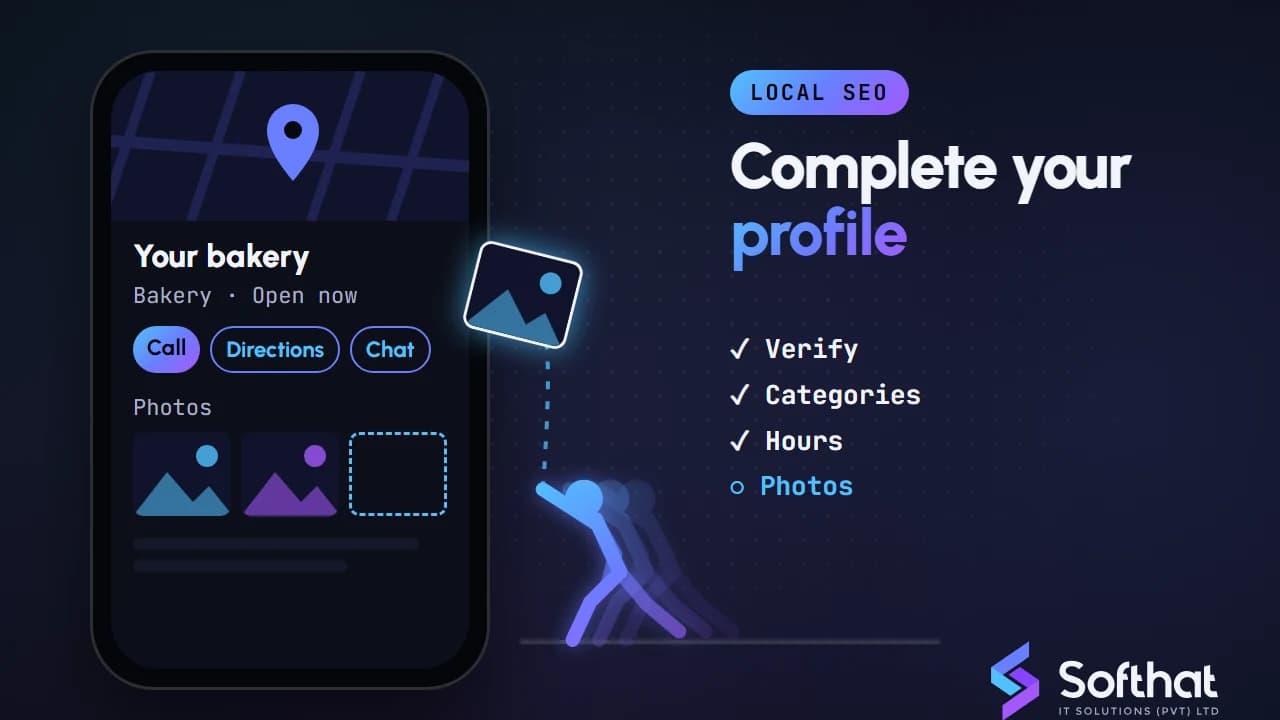
Table of Contents
When someone in Rawalpindi searches "dentist near me" or a traveller in Swat looks for a hotel, the first thing they often see is a map with three business listings. Those listings come from Google Business Profile.
A complete, active profile can bring calls, WhatsApp chats and direction requests without a single rupee of ad spend. A neglected one quietly sends those customers to a competitor.
This step-by-step guide to Google Business Profile optimization follows Google's own help documentation, so you improve your visibility without risking a suspension. It also covers the features Google has removed recently, so you do not waste time on outdated advice.
How Google ranks local business profiles
Before changing anything, understand what Google looks at. Google says local results are based mainly on three factors (Google Business Profile Help):
- Relevance: how well your profile matches what the person searched.
- Distance: how far your business is from the searcher or the location in the query.
- Prominence: how well known your business is, including reviews and ratings.
You cannot change distance. You can improve relevance with complete, accurate information, and prominence with reviews, photos and a good reputation across the web.
One more point matters for anyone selling "guaranteed Maps rankings". Google states: "There's no way to request or pay for a better local ranking on Google" (Google Business Profile Help). If you are new to the wider topic, start with what local SEO is.
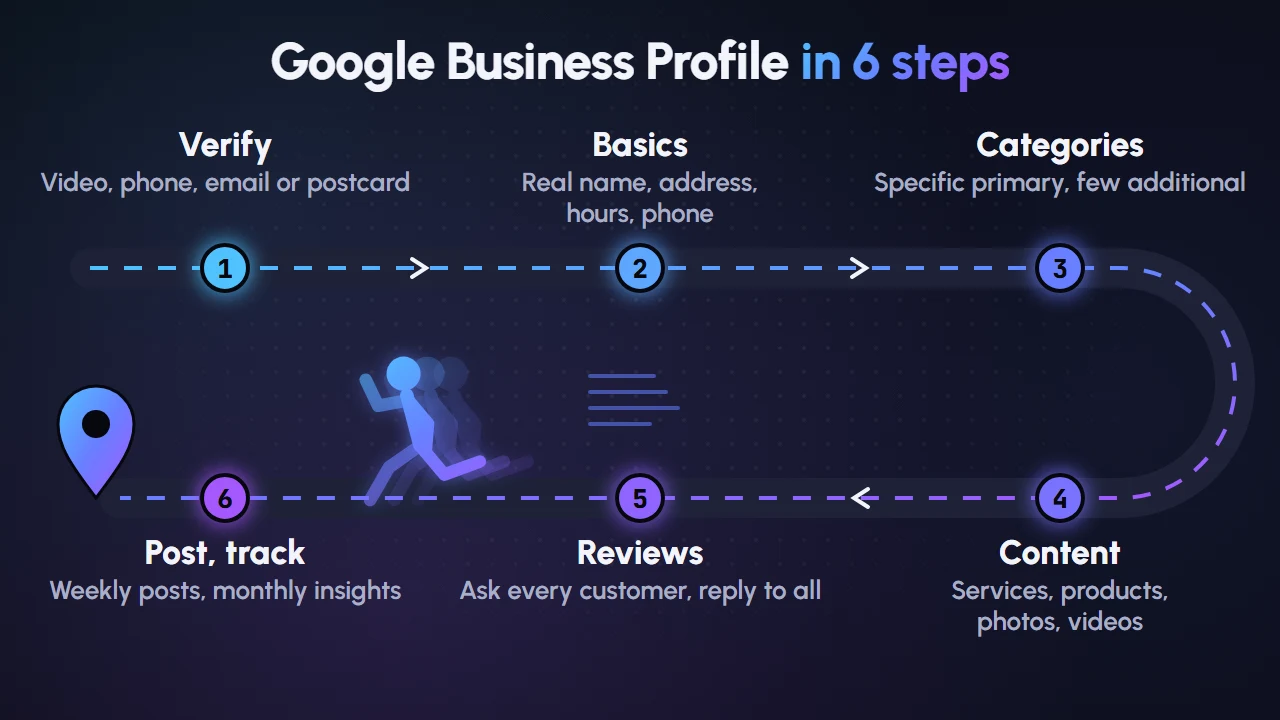
Step 1: Claim and verify your profile
You must verify your business before you can edit key details such as your name or hours, or reply to customers (Google Business Profile Help).
Google chooses the verification method for you, and you cannot switch it. Depending on your business, it may offer:
- phone call or SMS code
- email code
- live video call with a Google support representative
- recorded video showing your location, signage and proof of management
- postcard to your address (most codes arrive within 14 days)
After you complete the steps, Google says verification reviews "take up to 5 business days" (Google Business Profile Help).
Tips for a smooth video verification
Video is the most common hurdle for small Pakistani businesses. Plan the recording before you start.
- Show the street and nearby landmarks, then your exterior signage.
- Walk in and show the inside of the shop or office.
- Show proof of management, such as opening the cash counter, using your POS or showing business documents.
- Record in one continuous take in good light.
Step 2: Get the basics exactly right
Accurate core information is the foundation of every other step. Google's guidelines for representing your business are strict, and breaking them can lead to suspension.
Business name
Use your real-world name, as it appears on your signboard, website and stationery. Do not add keywords, cities or taglines. "Khan Dental Clinic" is fine; "Khan Dental Clinic Best Dentist Lahore DHA" is not.
Address or service area
- Storefront businesses (shops, clinics, restaurants): enter a precise address with permanent signage. Virtual offices and P.O. boxes are not allowed.
- Service-area businesses (plumbers, solar installers, home tutors): hide the address and set a service area. Google says it should not extend beyond about two hours' driving time from your base (Google Business Profile Help).
Hours, phone, website and chat
- Add regular hours plus special hours for Eid, Muharram and public holidays.
- Use a local phone number your team actually answers.
- Link to the most relevant page of your website, not a social profile if you have a site.
- If the option appears in your profile, add a WhatsApp or text message chat link under Contact. Google says this is available "for select regions" only (Google Business Profile Help).
Also add your social profiles under Contact. Google allows one link per platform (Google Business Profile Help).
Step 3: Choose the right categories
Categories are one of the strongest relevance signals you control. You get one primary category and can add additional ones.
Google's advice is to "choose categories that are as specific as possible, but representative of your main business" (Google Business Profile Help). Complete the sentence "This business IS a...", not "This business HAS a...".
| Business | Good primary category | Avoid |
|---|---|---|
| Wedding hall with catering | Wedding venue | Adding "Restaurant" if you don't serve walk-in diners |
| Mobile phone shop that repairs phones | Cell phone store, plus Mobile phone repair shop | Separate categories for every brand you sell |
| Software house | Software company | "Marketing agency" unless it is a core service |
Categories also enable extra features. Restaurants can add menus and reservation links, and some health and beauty businesses get booking options (Google Business Profile Help). Changing categories may trigger a new review of your profile, so choose carefully.
Step 4: Add services, products, photos and videos
Once the basics are right, fill every relevant section. This helps both customers and Google understand what you offer.
Services and products
Service businesses in eligible categories can list their offerings with the services editor (Google Business Profile Help). Use the names customers use, such as "AC installation" or "Root canal treatment", and add a short, plain description.
Local stores that sell physical goods can use the product editor to add items with photos (Google Business Profile Help). Products must follow Google's Shopping ads policies, or they can be removed.
Photos and videos
Real photos help people choose you. Upload a logo, a cover photo and pictures of your exterior, interior, team and work.
| Media | Google's specification |
|---|---|
| Photo format | JPG or PNG |
| Photo size | 10 KB to 5 MB |
| Photo resolution | 720 x 720 px recommended, 250 x 250 px minimum |
| Video length | Up to 30 seconds |
| Video file size | Up to 75 MB |
| Video resolution | 720p or higher |
Source: Google Business Profile Help. Google also asks for photos that are in focus, well lit and without heavy filters. Add fresh photos regularly, for example new stock, completed projects or seasonal setups.
Step 5: Earn and respond to genuine reviews
Google notes that "more reviews and positive ratings can help your business's local ranking" (Google Business Profile Help). We explore the link in more depth in do Google reviews help SEO.
Ask the right way
From your profile, you can share a review request link or QR code (Google Business Profile Help). Put the QR code at your counter, on receipts and in your WhatsApp follow-up message after a sale.
Stay inside Google's review policy
Google's Maps user contributed content policy prohibits fake engagement. Do not:
- offer discounts, gifts or payment in exchange for reviews
- ask only happy customers for reviews while steering unhappy ones elsewhere (review gating)
- have staff, relatives or agencies post reviews for you
- pressure customers to review while they are still on the premises
You may encourage all genuine customers to share their experience, as long as you don't offer incentives or try to influence the rating.
Reply to every review
Reply to positive and negative reviews politely, within a few days. For complaints, acknowledge the issue, avoid sharing private details and move the conversation to phone or WhatsApp. Our guide on managing your online reputation has more on handling difficult feedback.
Step 6: Keep your profile active with posts
Posts let you share news directly on your profile. Google supports three types (Google Business Profile Help):
- Updates: news, new arrivals, tips, with a photo and a button.
- Offers: promotions with a title, dates and optional coupon code.
- Events: workshops, launches or open days with start and end times.
Posts older than six months are archived unless you set a date range. You can also schedule posts and set them to repeat. A realistic rhythm for most small businesses is one or two posts a week, tied to real events such as Ramadan offers, 11.11 sales or a new branch opening. Avoid putting phone numbers in post text, as Google may reject them.
Outdated advice to ignore
A lot of older Google Business Profile advice online no longer applies.
- Chat was removed in 2024. Google turned off Business Profile chat and call history on 31 July 2024 (Google Business Profile Help). The WhatsApp or SMS chat link in Step 2 is the current alternative where available.
- Q&A has been retired. Google discontinued the Q&A API on 3 November 2025, saying it was "updating the Q&A functionality and user experience" (Google for Developers). The old public Q&A section has since been phased out. Put answers to common questions in your services, description and website FAQ instead.
Features also vary by country and category, so check what your own dashboard shows rather than relying on a screenshot from someone else's profile.
Track what your profile delivers
Open the Performance section of your profile each month. It shows views, the search terms people used to find you, calls, direction requests, website clicks, and messages or bookings where available (Google Business Profile Help).
You can now link Business Profiles to Google Analytics 4 to see these interactions next to your website data. Google notes Business Profile metrics there cover the last 6 months, and totals are aggregated across linked profiles (Analytics Help).
Add UTM tags to your website link so you can separate profile visits from other Google traffic in GA4. A monthly note of calls, directions and website clicks is enough to spot trends.
Key takeaways and next steps
- Verify first; nothing else sticks without it.
- Use your real business name and the most specific primary category.
- Fill in services or products, hours and high-quality photos.
- Ask every genuine customer for a review, without incentives, and reply to all of them.
- Post regularly around real offers and events.
- Ignore old advice about chat and Q&A, and track results in the Performance report and GA4.
Google Business Profile optimization is not a one-time setup. The businesses that win in local search keep their information accurate, collect reviews steadily and stay active month after month.
If you would rather have a team handle it, our local SEO services cover profile setup, verification support, content, reviews strategy and reporting for businesses across Pakistan. Get a quote on WhatsApp or book a free strategy call and we will review your current profile.