
- WhatsApp Marketing
WhatsApp Marketing Campaigns: Broadcasts, Templates and Opt-in Rules
Plan WhatsApp marketing campaigns that get read, not blocked: app broadcasts vs API templates, opt-in rules, quality ratings, messaging limits and pricing.
 AuthorRehmat Ullah8 min read
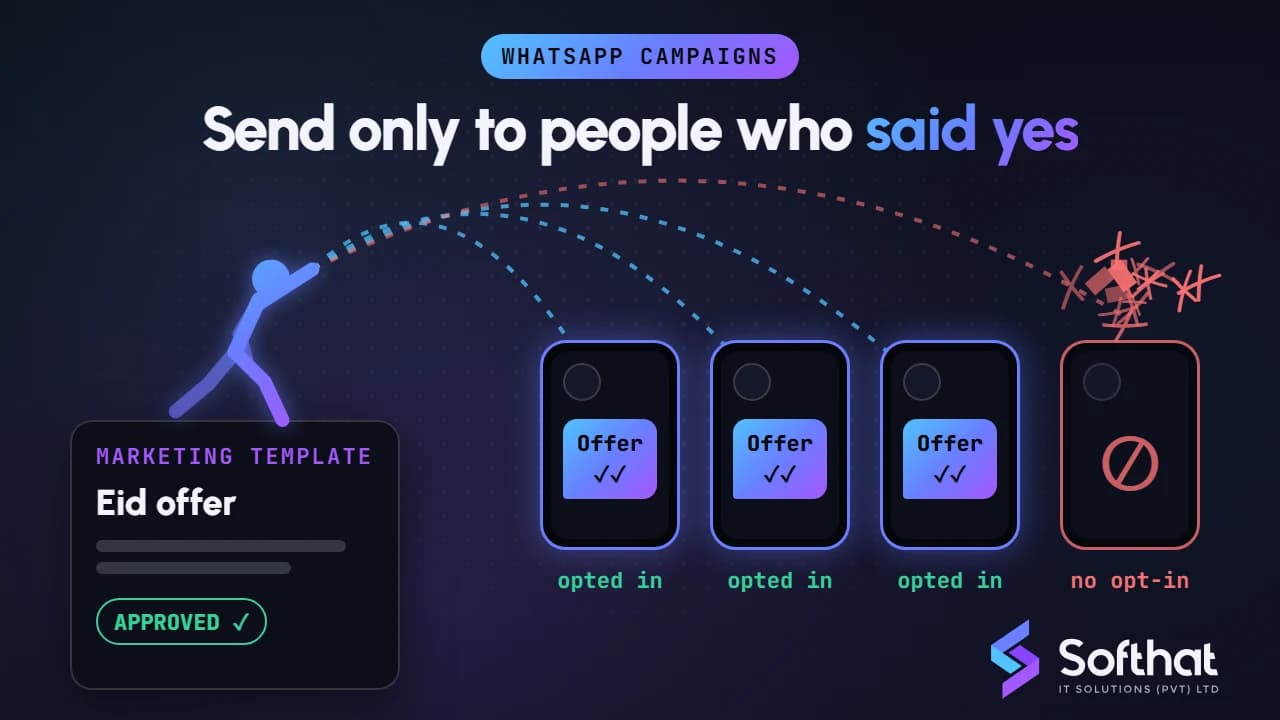
Table of Contents
WhatsApp messages get opened in a way that email rarely does. That is exactly why WhatsApp is so tempting for promotions, and why Meta polices it closely.
Send a well-timed offer to customers who asked for it, and WhatsApp marketing campaigns can drive real sales around Eid, Black Friday (often called White Friday in Pakistan) or a new collection launch. Blast the same offer to every number in your phone, and you risk blocks, reports and a restricted account.
This guide explains the two ways to run campaigns, the template and opt-in rules that apply in late 2026, how quality and messaging limits work, and how to plan a campaign that customers actually welcome.
Two ways to run WhatsApp marketing campaigns
Your options depend on which WhatsApp product you use.
Broadcasts in the WhatsApp Business app
The free Business app has long offered broadcast lists: one message sent to many contacts, arriving as individual chats. Broadcast lists only reach people who have saved your number in their phone contacts, which naturally limits them to customers who already know you.
WhatsApp has also been introducing business broadcasts in the Business app in some countries, with extra features and paid sending. Availability, allowances and prices vary by country, so check WhatsApp's help page on pricing for business broadcasts and the options inside your own app before planning around them.
App broadcasts suit small shops with a modest, loyal customer list. They are manual, hard to personalize at scale and offer limited reporting.
Marketing templates on the WhatsApp Business Platform
Larger campaigns run on the WhatsApp Business Platform (the API) using marketing templates: pre-approved message formats that you send through a Business Solution Provider or your own integration.
| Business app broadcasts | API marketing templates | |
|---|---|---|
| Audience size | Small lists | Thousands of opted-in contacts, within limits |
| Recipient must save your number | Yes, for broadcast lists | No, but opt-in is required |
| Personalization | Basic | Name, order details, dynamic buttons |
| Approval needed | No | Yes, each template is reviewed |
| Reporting | Basic | Delivery, read and click data via your tool |
| Cost | Varies by feature and country | Per delivered marketing message |
Our guide to the WhatsApp Business API in Pakistan covers setup. The rest of this article focuses mainly on API campaigns.
Template categories: marketing, utility and authentication
Every template belongs to one category, and the category decides both pricing and how strictly Meta watches it. According to Meta's template categorization guidelines:
- Marketing templates help businesses generate awareness, drive sales and retarget customers. Offers, launches, cart reminders and event invites belong here.
- Utility templates "follow up on user actions or requests", such as order confirmations and delivery updates.
- Authentication templates verify a user's identity, typically with one-time passcodes.
Do not disguise promotions as utility
It is tempting to add "Also, 20% off this weekend!" to a delivery update. Meta checks for this. If a utility template contains marketing content, Meta can change its category to marketing, and repeated miscategorization can lead to limits on utility messages or restrictions across your business portfolio.
Keep transactional and promotional messages separate. It is cleaner for customers and safer for your account.
Template review
Templates are reviewed automatically when created or edited, and review can take up to 24 hours. Submit campaign templates days before a sale, not on the morning it starts.
Opt-in rules you must follow
Opt-in is the foundation of every WhatsApp campaign. WhatsApp's Business Messaging Policy says you may only contact people who have given you their phone number and given you opt-in permission to message them on WhatsApp.
Meta's opt-in guidance adds two requirements. You must clearly state that the person is opting in to receive messages, and you must state your business name.
Good opt-in methods
- A clearly worded, unticked checkbox at checkout: "Send me offers and updates from [Brand] on WhatsApp."
- A "Get offers on WhatsApp" button on your website or Instagram profile.
- A keyword customers send to join, promoted in-store or on packaging.
- A paper or tablet form at your shop counter, with the same clear wording.
What does not count
- A number collected only for delivery.
- A purchased or scraped contact list.
- Numbers from a WhatsApp group you are part of.
- A customer who opted out earlier.
The policy also says you must respect every opt-out request, whether it comes on WhatsApp or elsewhere. Add a simple "Reply STOP to unsubscribe" line or an opt-out button to marketing templates, and remove those numbers promptly.
Quality rating, pacing and messaging limits
Meta watches how people react to your messages and adjusts what you can send.
Template quality rating
Each template has a quality rating based on usage, customer feedback and engagement. Blocks, reports and low read rates lower it. Low-rated templates can be paused, and a paused template cannot be sent until the issue is resolved.
Template pacing
New marketing templates, unpaused templates and templates without a high quality rating may be subject to template pacing. Meta sends to part of your audience, holds the rest while it gathers feedback, then releases them if the signals are good. If early feedback is poor, the template is paused and the held messages are dropped.
Messaging limits
Meta's messaging limits cap how many unique people your business portfolio can message outside a customer service window in a rolling 24-hour period. New portfolios start at 250. Higher tiers of 2,000, 10,000, 100,000 and unlimited are reached through business verification and sustained high-quality messaging.
Meta also limits how many marketing templates an individual user receives from all businesses combined, so some messages may not be delivered to people who are already receiving many promotions.
How WhatsApp campaign pricing works
Under Meta's per-message pricing, you are charged when a template message is delivered. The rate depends on the template category and the recipient's country calling code, so a message to a +92 number is priced differently from one to a UAE or UK number.
Key points for campaigns:
- Marketing templates are charged on every delivery, including inside an open customer service window.
- Volume tier discounts apply to utility and authentication messages, not marketing.
- Meta's pricing page says businesses using the Marketing Messages API for WhatsApp can set a maximum price per marketing message delivery.
- Since 1 October 2026, Meta also charges for service messages, so replies to customers who respond to your campaign are no longer free.
Rates change. Check Meta's current rate card and your provider's markup before setting a campaign budget.
Planning a WhatsApp campaign step by step
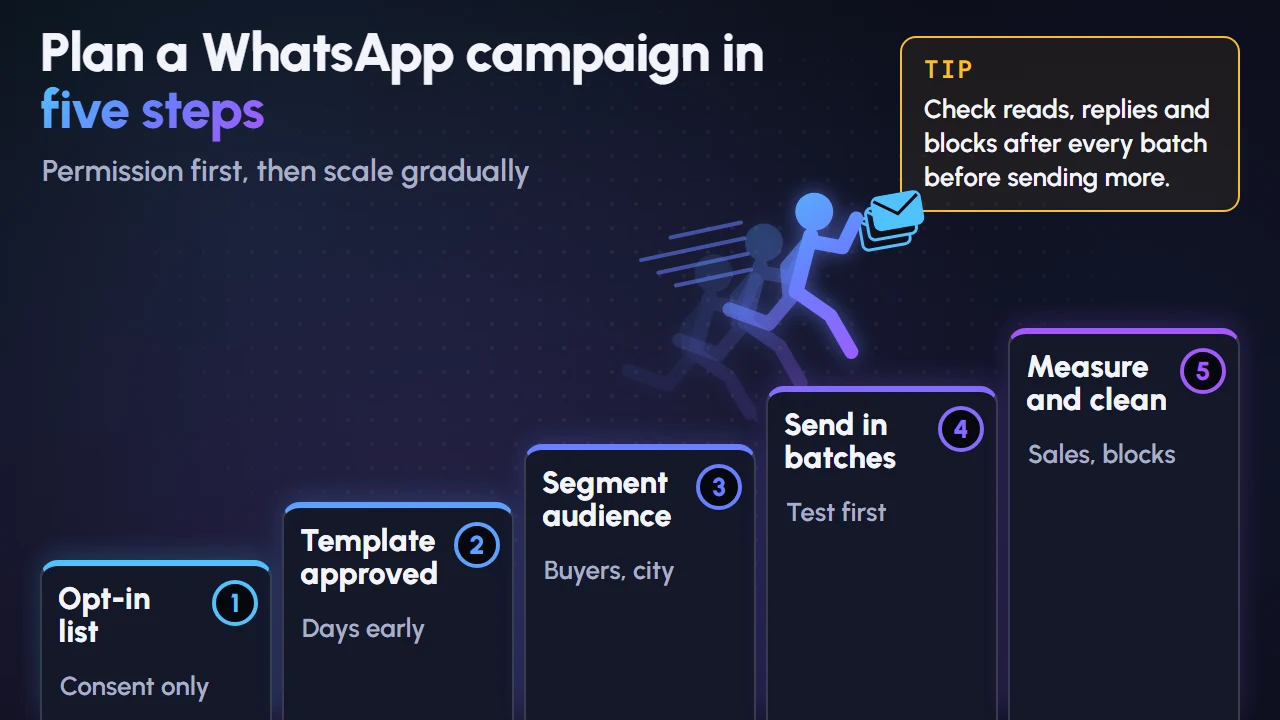
- Set one goal. For example: sales of a new collection, bookings for a seasonal offer or webinar sign-ups.
- Check your list. Include only opted-in contacts, and remove anyone who opted out or has not engaged in a long time.
- Segment. Past buyers, recent enquiries and city-based groups each deserve a different message.
- Write the template. Lead with the value, keep it short, add one clear button and include an opt-out.
- Submit for approval early, ideally with a backup version.
- Send a test batch to a small segment first and watch reads, replies, clicks and blocks.
- Roll out in batches within your messaging limit.
- Staff up for replies. Campaigns create conversations. Have people or a well-built bot ready to answer.
- Measure sales, not just reads, and clean the list for next time.
If the campaign brings a wave of enquiries, an assistant can sort serious buyers quickly; see our guide to AI lead qualification.
Writing campaign messages people welcome
- Personalize beyond the first name. Refer to what they bought or asked about.
- Match your customers' language. Many Pakistani audiences respond well to Urdu or Roman Urdu; our guide to Urdu and Roman Urdu content explains when to use each.
- Be specific: the offer, the deadline and how to claim it.
- Use one call to action, such as "Shop the sale" or "Book your slot".
- Send at sensible times. Avoid late nights, and be thoughtful around prayer times and Ramadan schedules.
- Do not overdo frequency. A weekly blast to everyone is a fast route to blocks.
WhatsApp works best alongside other channels. Use email marketing for longer content and newsletters, and keep WhatsApp for timely, high-value messages.
Frequently asked questions
Can I send WhatsApp promotions to all my customers?
Only to customers who opted in to WhatsApp messages from your business. A number shared for delivery or support is not permission for marketing.
Why was my marketing template paused?
Usually because recipients blocked or reported it, or few people read it. Review your audience, message and frequency, then create an improved template.
Are WhatsApp broadcasts free?
Classic broadcast lists in the Business app have been free to send, but reach only people who saved your number. Newer business broadcast features may involve payment depending on your country. On the API, every delivered marketing template is charged.
How many people can I message per day?
On the API, it depends on your messaging limit, which starts at 250 unique recipients in a rolling 24 hours and grows with verification and quality.
Launch WhatsApp campaigns that sell without hurting your number
Successful WhatsApp marketing campaigns are built on permission, relevance and patience. Get opt-in right, keep templates honest, scale gradually and treat replies as sales conversations.
Softhat sets up WhatsApp bots and campaign automation for Pakistani businesses, from opt-in flows and template design to segmented sends and reply handling. Get a quote on WhatsApp or book a free strategy call and we will plan your next campaign with you.