
- Google Ads & PPC
How to Reduce Cost per Lead in Google Ads
Reduce cost per lead in Google Ads: cut wasted searches, lift conversion rates, use Target CPA and feed lead quality data back so you pay for better leads.
 AuthorRehmat Ullah7 min read
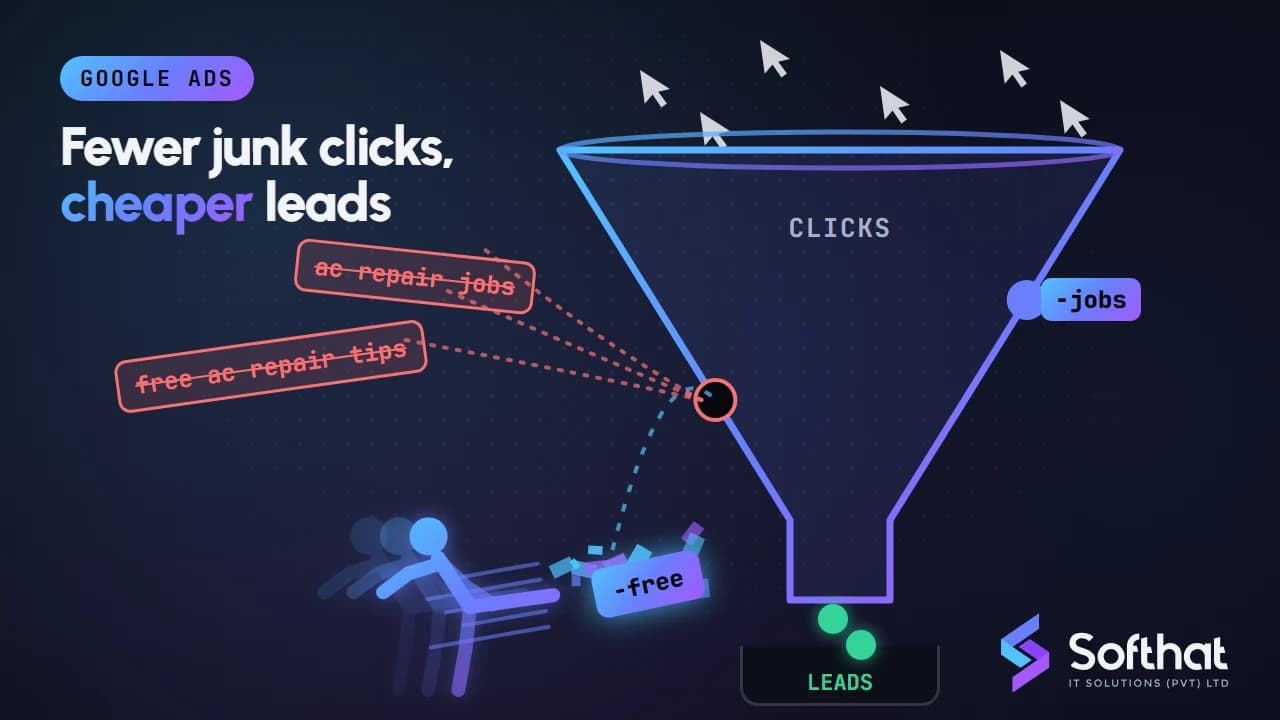
Table of Contents
Your Google Ads campaign is bringing in leads, but each one costs more than the deal is worth. Raising the budget won't fix that. Fixing the account will.
This guide shows how to reduce cost per lead in Google Ads step by step. You'll find where money leaks, how to turn more clicks into enquiries and how to teach Google's bidding which leads actually become customers.
If your account is brand new, start with our Google Ads for beginners guide to get tracking and structure right first.
Understand what drives cost per lead
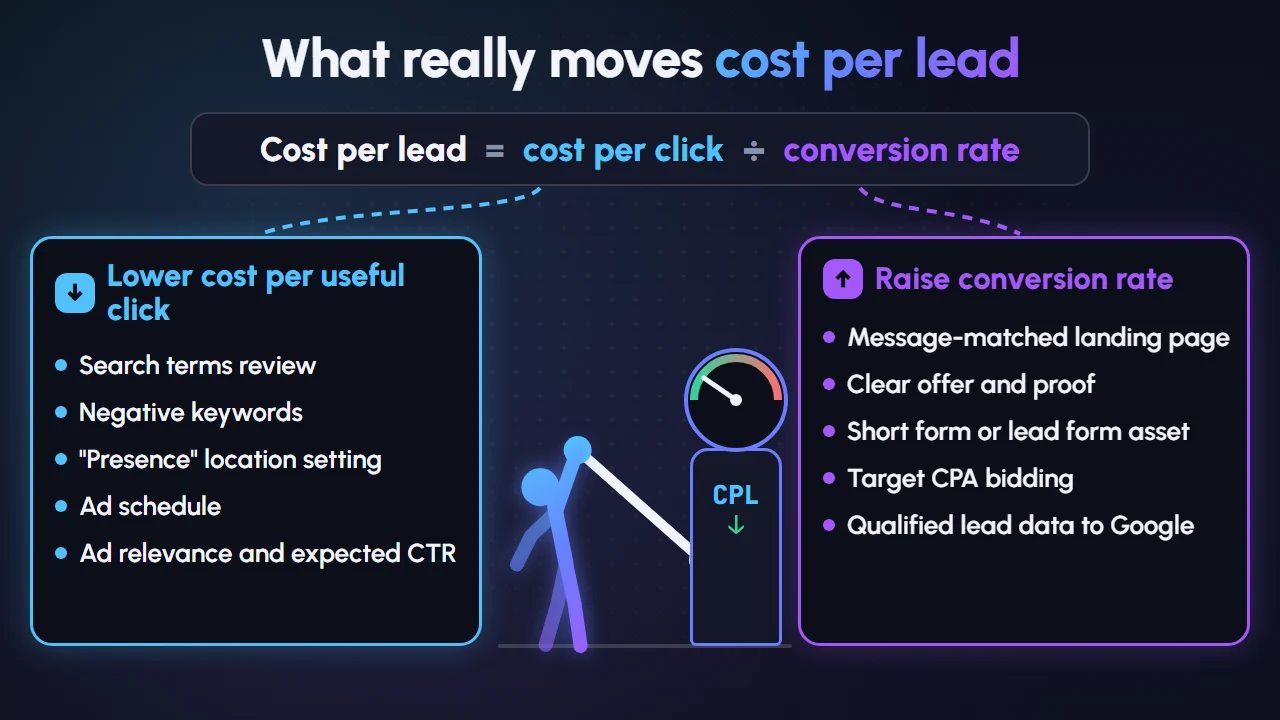
Cost per lead (CPL) is your ad spend divided by the number of leads. It helps to break it into two parts:
Cost per lead = cost per click ÷ conversion rate
If you pay PKR 60 per click and 3% of clicks become leads, each lead costs PKR 2,000. Lift the conversion rate to 5% and the same clicks produce leads at PKR 1,200. (These are illustrative numbers, not benchmarks.)
So there are only two levers:
- Pay less for each useful click, mostly by removing wasted traffic and improving ad quality.
- Convert more of those clicks, by improving your landing page, offer and form.
Before changing anything, confirm your conversion tracking counts real leads only. A duplicate or broken conversion tag can make CPL look better or worse than it is.
Step 1: Stop paying for the wrong searches
This is often where the fastest savings are.
Review the search terms report weekly
The search terms report shows the actual searches that triggered your ads. It is different from your keyword list, especially if you use broad match.
Sort by cost and look for:
- Wrong intent: "jobs", "course", "free", "salary", "DIY", "second hand".
- Wrong service: a web design agency showing for "website hosting login".
- Wrong location: city names you don't serve.
- Competitor brand names you have chosen not to target.
Add negative keywords the right way
You can add search terms as negatives directly from the report, at ad group or campaign level, or to a shared negative keyword list. Negatives added this way default to negative exact match, so change the match type if you want to block a word in any search.
Remember that negative keywords don't match close variants. Add plural forms and synonyms yourself.
Tighten location and timing
- Location: if you only serve certain cities, set location options to Presence instead of Presence or interest, which Google explains here. Then check the locations report for spend outside your area.
- Ad schedule: use ad scheduling to limit ads to hours when leads convert or when someone can answer the phone. If most junk enquiries arrive late at night, test pausing those hours.
Step 2: Improve ad quality and relevance
Better-matched ads usually earn more clicks from the right people, and fewer from the wrong ones.
Use Quality Score as a diagnostic
Quality Score is rated 1 to 10 at keyword level and is built from three components: expected click-through rate, ad relevance and landing page experience. Google is clear that Quality Score itself is not an input in the ad auction. It is a diagnostic that points at what to fix.
| Component rated "Below average" | What to try |
|---|---|
| Expected click-through rate | Sharper headlines with the search phrase, price or offer, and a clear benefit |
| Ad relevance | Split broad ad groups into tighter themes so ad text matches the keywords |
| Landing page experience | Send traffic to a page about that exact service, loading fast on mobile |
Write ads that pre-qualify
Cheaper leads are only useful if they're real prospects. Put qualifiers in the ad:
- "Starting from PKR 45,000" filters out people looking for very low prices.
- "For businesses with 10+ staff" filters out individuals.
- "Lahore and Islamabad only" filters out out-of-area enquiries.
You may get fewer clicks, but a higher share of them will convert.
Step 3: Convert more clicks into leads
Doubling your conversion rate halves your cost per lead. For many accounts, the landing page is the biggest lever.
Landing page checklist
- Message match: the headline repeats what the person searched for.
- One clear action: call, WhatsApp or form, visible without scrolling on mobile.
- Short form: ask only what sales needs for a first reply.
- Proof: client logos, reviews, years in business or before and after examples.
- Speed: test on a mid-range phone over mobile data.
- Local trust signals: a Pakistani phone number, office address and WhatsApp button.
For copy that converts, see our guide to writing website copy that converts.
Consider lead form assets
Lead form assets let people submit details from the ad itself, without loading your site. Google lists requirements, including a privacy policy link, an eligible vertical and a conversion-focused bidding strategy. Some formats also require advertiser verification and a history of policy compliance.
Leads can be downloaded as a CSV or sent to your CRM using a webhook. Lead forms reduce friction, but they can also bring lower-intent leads, so track which ones become customers before scaling.
Step 4: Let Smart Bidding target your cost per lead
Once tracking is reliable, let Smart Bidding do the bid work. It uses auction-time bidding to set a bid for each auction based on the likelihood of a conversion.
Target CPA (target cost per acquisition) sets bids to get as many conversions as possible around the average cost per conversion you set. Google notes that from June 2026, "Maximize conversions with a target CPA" is labelled simply "Target CPA", with the same behaviour.
How to use it well:
- Start near your actual CPL. Google warns that a target set too low can cause you to miss clicks that would convert, giving you fewer leads overall.
- Lower it in steps. Reduce the target gradually and give each change time to settle.
- Judge over enough data. Google recommends evaluating over at least 30 days and 30 conversions.
- Avoid constant changes. Frequent edits to budgets, targets or conversion settings make results hard to read.
Step 5: Optimize for qualified leads, not just form fills
The cheapest leads are often the worst. If Google only sees form submissions, it will find more people who fill in forms, including spam and time-wasters.
The fix is to tell Google which leads became real opportunities.
Enhanced conversions for leads
Enhanced conversions for leads uses hashed customer data from your lead forms, such as email or phone, to match offline outcomes back to your ads. Google recommends starting with it if you haven't set up offline conversion import, and upgrading if you already use the older import.
A practical setup for a Pakistani SME:
- Capture the lead's email or phone on your form and store it in your CRM or Google Sheet.
- Mark each lead's outcome: qualified, quoted, won or junk.
- Upload qualified and won leads to Google Ads regularly as conversions.
- Make "qualified lead" the primary conversion that bidding optimizes for.
Your raw CPL may rise slightly, but your cost per qualified lead and cost per sale should fall. That is the number that matters.
Respond faster
Lead quality also depends on you. Leads go cold quickly, so reply while the prospect is still comparing options. Tools like a WhatsApp Business API auto-reply can acknowledge enquiries instantly.
Frequently asked questions
What is a good cost per lead in Google Ads in Pakistan?
There is no single figure. CPL depends on your industry, competition, city, offer and deal value. Work backwards: if one customer brings PKR 100,000 in profit and one in five leads becomes a customer, a lead can cost well under PKR 20,000 and still be profitable.
How long does it take to lower CPL?
Negative keywords and location fixes can reduce waste within days. Bidding and landing page changes need a few weeks of data. Lead quality imports improve bidding over one to three months.
Should I pause campaigns with a high CPL?
Not straight away. Check search terms, conversion tracking and the landing page first. Pause only when the campaign still can't reach a profitable cost per qualified lead after fixes.
Is Performance Max cheaper for leads?
It can be, but without lead quality signals it may chase low-quality form fills. Feed it qualified lead data and watch search terms insights before scaling.
Lower your cost per lead with a structured audit
Most accounts have waste hiding in search terms, settings and forms. Finding it takes a methodical review, not a bigger budget.
Softhat's Google Ads management service audits accounts, fixes tracking and optimizes for qualified leads for businesses across Pakistan. Book a free strategy call and we'll show you where your budget is leaking.